
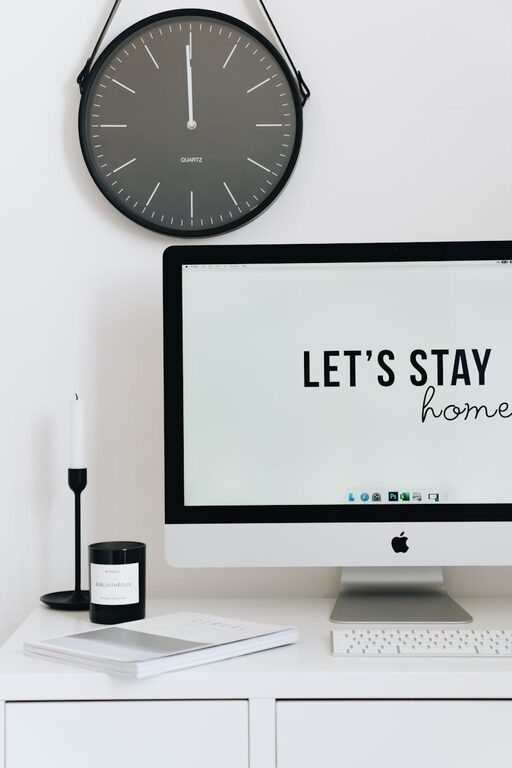
Creating a well-organized home office is essential for maintaining focus, efficiency, and comfort throughout your workday. Whether you’re working remotely full-time, freelancing, or simply need a dedicated space to handle personal tasks, an orderly environment can make a big difference in your productivity and well-being.
In this post, we’ll explore simple yet impactful tips for organizing your home office. These ideas will help you create a workspace that is functional, comfortable, and inspiring—no matter your size or style preferences.
Why Organizing Your Home Office Matters
Before diving into specific tips, it’s worth understanding why organization matters. A cluttered or poorly arranged space can cause distractions, make it hard to find what you need, and even contribute to physical discomfort. Conversely, a tidy and well-thought-out setup:
– Minimizes distractions
– Encourages focus and creativity
– Makes tasks easier and quicker to complete
– Supports better posture and comfort during long hours
– Reduces stress and fatigue
Now, let’s explore how to achieve these benefits with some practical organizing strategies.
Start with Decluttering
Clear Out Unnecessary Items
Begin by removing anything from your workspace that you don’t regularly use. Old papers, broken gadgets, excess supplies, or items that belong elsewhere should be sorted out.
– Use boxes or bins to gather non-essential items
– Recycle or shred old documents safely
– Donate or sell items you no longer need
– Create designated drop-off points for future clutter outside the office space
Keep Only What You Need Close By
Limit what is on your desk to essential tools—like your computer, notebook, pens, and phone. Removing extra items frees up space and reduces distractions.
Organize Your Desk and Supplies
Use Desk Organizers
Invest in drawer dividers, pen holders, and small trays to keep supplies neatly arranged. This way, each item has a place, and you can quickly access what you need without rummaging.
Arrange for Accessibility
Place frequently used items within arm’s reach, and store less-used supplies in drawers or shelves nearby.
Manage Cables and Electronics
Tidy up your cords using clips or cable organizers to prevent tangling and clutter. A wireless keyboard or mouse can also help reduce cable mess.
Design Your Layout for Comfort and Efficiency
Choose the Right Desk and Chair
Your furniture plays a big role in comfort. Select a desk that fits your space and work style, and invest in an ergonomic chair to support good posture.
Position Your Desk Strategically
If possible, set your desk near a window to benefit from natural light, which can improve mood and alertness. Avoid glare on screens by positioning monitors perpendicular to windows.
Allow for Movement
Leave enough space to move around freely. Consider a standing desk or an adjustable workstation to alternate between sitting and standing.
Maximize Storage Solutions
Use Shelving and Cabinets
Wall shelves or cabinets help keep your desk surface clear while storing books, files, and other materials.
Label Everything
Clear labeling on folders, bins, and drawers saves time and prevents frustration when searching for items.
Go Vertical
Use vertical space efficiently with pegboards, wall hooks, or vertical file organizers to declutter your desk area.
Create a Calming and Motivating Atmosphere
Personalize Thoughtfully
Add a few meaningful decorations like pictures, plants, or artwork to make your space inviting without cluttering it.
Manage Lighting
Use a combination of natural light, overhead lighting, and task lamps to prevent eye strain and create a warm ambiance.
Control Noise Levels
If noise is distracting, consider noise-canceling headphones, soft background music, or white noise machines.
Establish Daily Habits to Maintain Organization
End Each Day with a Quick Tidy
Spend 5 minutes before finishing work to clear your desk, organize papers, and prepare for the next day.
Digital Organization
Keep your computer files and emails organized through regular sorting and use of folders or tags.
Regularly Reassess Your Setup
Over time, your needs may change. Periodically adjust your setup to ensure it remains efficient and comfortable.
—
By implementing these simple tips, you can transform your home office into a productive and comfortable zone. Remember, the goal isn’t perfection but creating a space that supports your best work and well-being. Start small, stay consistent, and enjoy the benefits of an organized workspace!